A handful of skills sat in every Copilot CLI session I had on record. Not one of them ever loaded.
My first instinct was to delete them. I am glad I did not.
Nothing tells you when a skill is skipped
Skills are folders with a SKILL.md that an agent loads when a task needs one. Writing a skill is easy. Knowing whether the model uses it is not. The agent decides on its own, and a skipped skill leaves no event behind.
That question is no longer specific to one tool. Since October, Agent Skills is a vendor-neutral Agentic AI Foundation project, and Claude Code, Codex, Copilot CLI, Gemini CLI, and Cursor all load them.
So I added a report to agent-trace, the open-source tool I built for recording coding agent sessions. For each skill it asks four questions. Was it available? Did it load, and who loaded it, you or the model? After loading, did the agent use the skill's files or run its commands? And what happened next?
It answers with counts, not a score. A score would have to decide whether fewer tool calls beats running the tests. I did not want a tool making that call.
Absence is not a miss
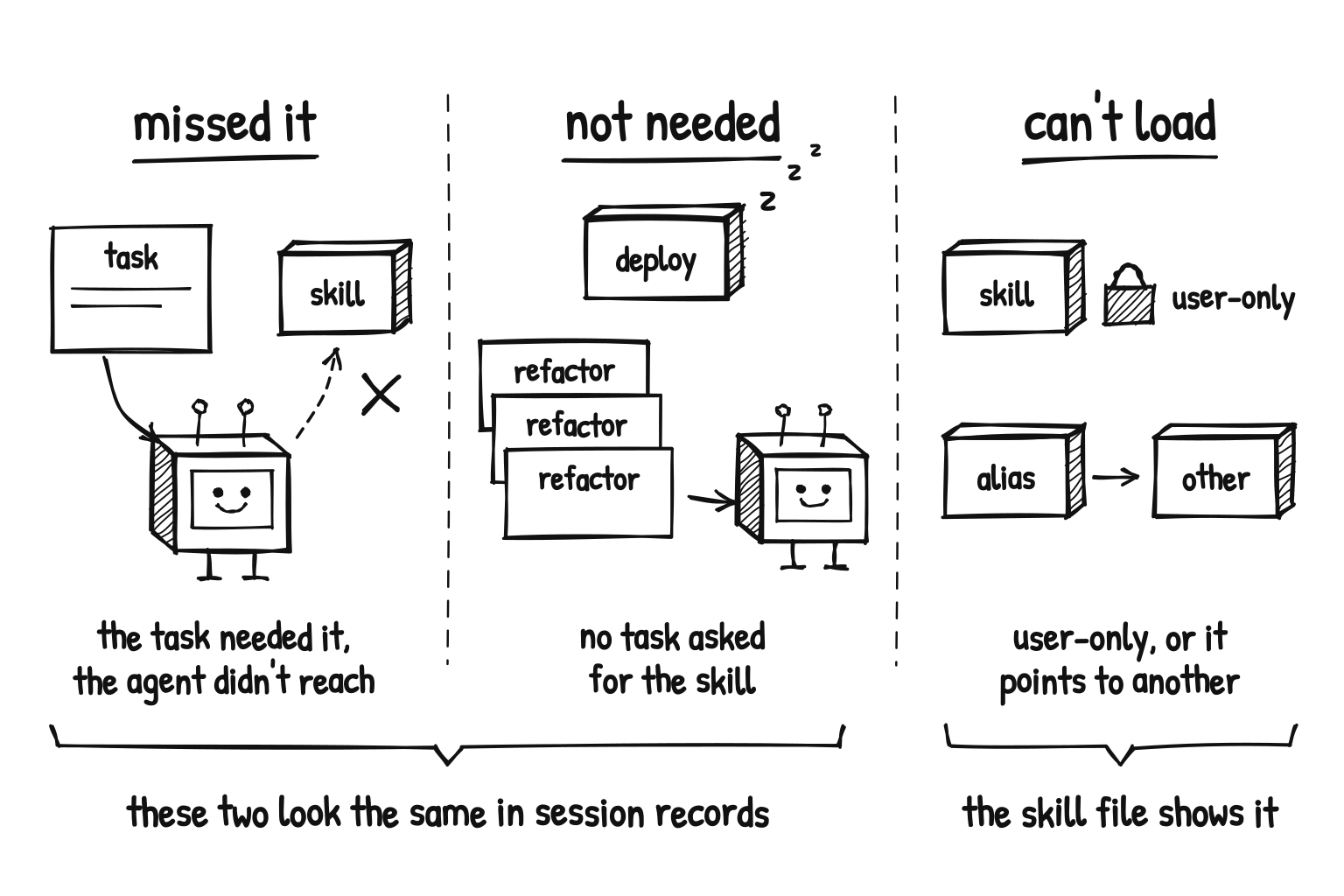
A skill that never loaded can mean three different things:
- The model missed it. The task needed the skill and the agent did not reach for it. This is the case you worry about.
- No task needed it. Availability is not relevance. A deployment skill stays quiet through a week of refactoring.
- It could never load. Some skills are user-only by design. Others only point to another skill, so the model loads that one instead.
The report can spot the third case by reading the skill itself. The first two look the same in session records, which show what happened, not what should have happened. The report prints that warning next to its list, and it turned out to be the most useful line in it.
So I gave the agent the task
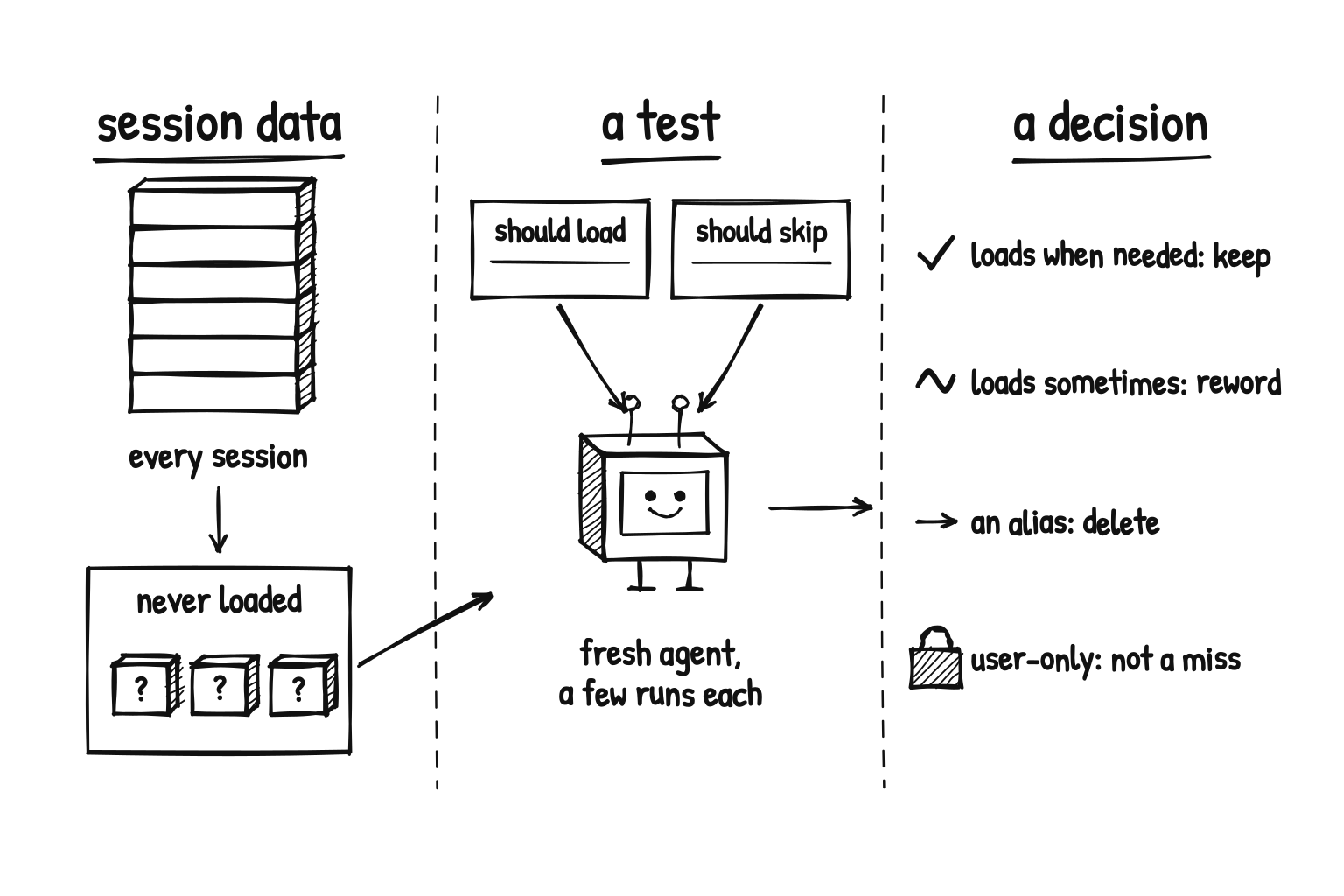
To learn whether a skill loads when it should, you have to hand the agent a task that needs it. agent-strace skills eval does that. You write prompts that should load the skill, and near misses that should not. It runs each one through a fresh headless agent a few times and counts the loads.
The result reversed my first instinct:
- Most of the skills worked. Given a matching task, they loaded, and they ignored the near misses. My sessions had never needed them.
- One of those was weak. It loaded only some of the time. When it did not, the agent searched for a tool, found none, and gave up.
- One was an alias. It called itself shorthand for another skill, and the model always picked the skill it pointed to. That was the one to delete.
- One could never load. It was user-only. The report should not have listed it. Now it lists user-only skills on their own and marks aliases and forwarders.
The session data gave me a shortlist. The test gave me a decision.
It was a small test: a few runs per case, one agent, one model, prompts I wrote myself. And it measures loading, not whether a skill makes the work better. That is a harder question.
Try it on your own
If you use Claude Code and have uv, one command reads the transcripts already on your machine. No setup, and it deletes its temporary files when it exits.
uvx agent-strace skills --from-claude --since 90d
My Claude Code history on this laptop is thin. The never-loaded list came back empty, because no skill was available in enough sessions to judge. It still marked one skill as a forwarder to another, the same kind of skill my first run got wrong.
Claude Code deletes old transcripts by default (cleanupPeriodDays), so your history may be shorter than you think.
For Copilot CLI, Gemini CLI, Codex, or Cursor, record a few sessions first:
uv tool install agent-strace
agent-strace setup --cli copilot   # or claude, codex, gemini, cursor
# work as usual, then in the same repository:
agent-strace skills
To test a skill, write your cases and run agent-strace skills eval cases.json --agent copilot. It is experimental, with presets for Claude Code and Copilot CLI and --agent-cmd for other agents.
The report never prints skill bodies, prompt text, or full commands. The CLI sends anonymous usage events by default, never trace contents. DO_NOT_TRACK=1 turns that off.
If your list holds a skill you were sure you used, test it before you delete it. Mine held a handful. One needed deleting.